Step 3: Run Reports
Now that you have added your rack to your data center, let’s generate a report.
Generate Rack Profile Report
- Navigate to the Data Center menu.
- In the Change Management tab, select the Data Center feature.
- In the Infrastructure Explorer pane, navigate to ‘Rack 1’ and select it.
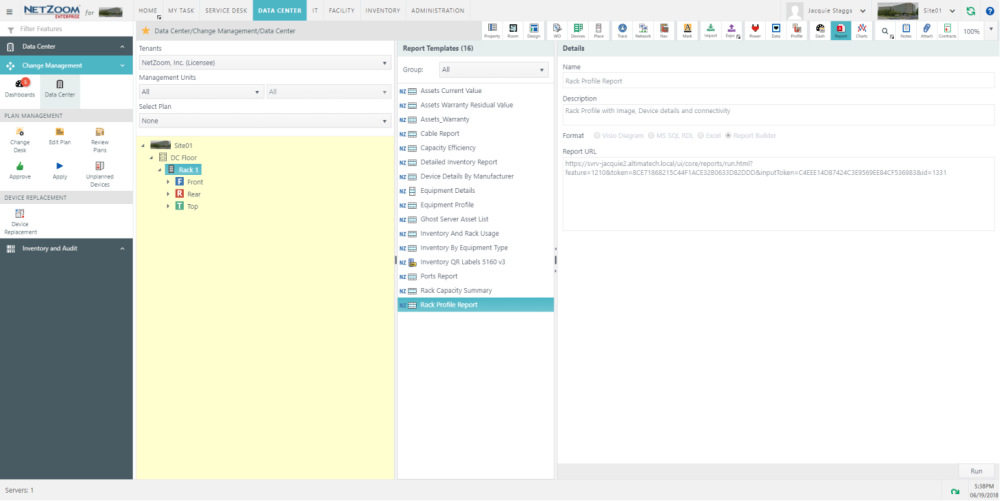
- Click on the Quick Action Report.
- In the Report Templates pane you can see the names of the reports that can be run on racks. Select the ‘Rack Profile Report’ template.
- Click [Run] to generate the report. A .PDF file will be created. Click on the link to preview the report in the browser.
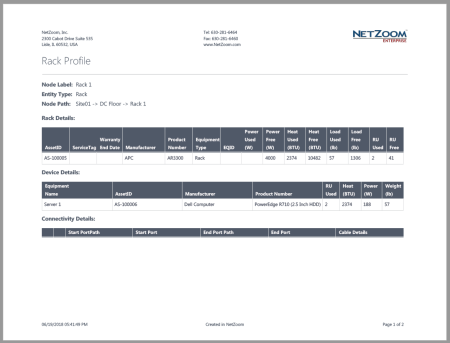
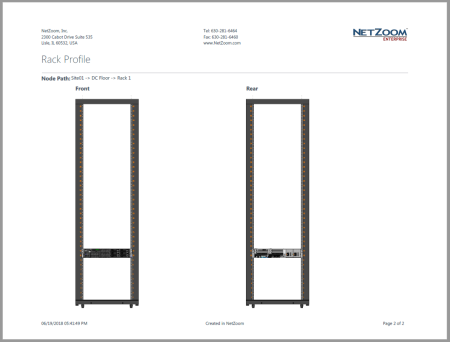
- The ‘Rack Profile Report’ shows information about the selected rack, all devices mounted on the rack, connectivity and cable information for the rack, and front and rear preview images. You may choose to download or print the report, as needed.